Player GuidesPlayer guides
GTA 6 Manual Saves, Autosave and Save Slots
Create and load GTA 6 saves on PS5 or Xbox. Find the 15 manual slots, learn when saving is unavailable and keep a separate save before major story decisions.
Before you start
Use a manual slot alongside autosave to keep a return point before a major mission or decision. Manual saving becomes available after the Prologue.
How Saving Works in GTA 6
GTA 6 has one autosave slot, intended to record progress after story missions and selected side content. Keep a separate manual save before a long session or an important choice.
The source reports cases of lost autosave progress. Those reports are a reason to keep backups, rather than a guarantee that every player will encounter the same issue.
Fortunately, the game also features manual saving like its predecessors. Saving the game manually is very convenient and requires navigating to the pause menu. Still, it should be noted that the game can't be saved during story missions, and manual saving only unlocks once the Prologue is over. Saving is also disabled when players are Wanted or engaged in a combat sequence.
Saving the game manually is encouraged in GTA 6, and this is evident by the fact that Rockstar Games offers a total of 15 manual save slots as opposed to the single autosave slot.
How to Save Your Game in GTA 6
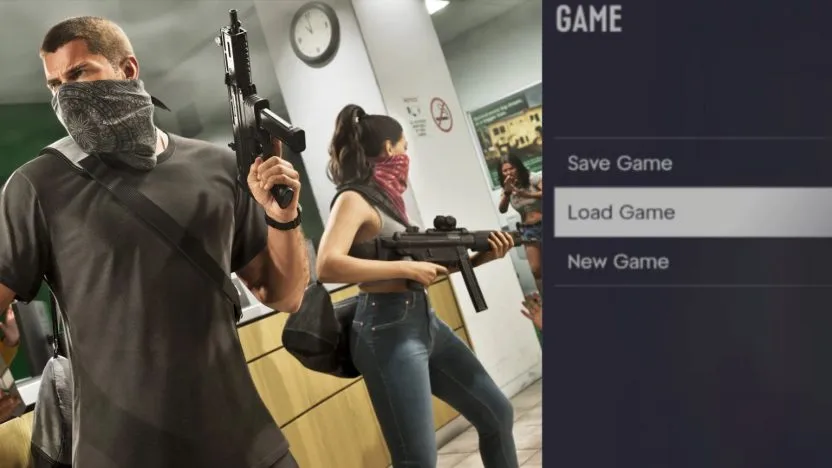
To save your game manually, simply pause GTA 6 with the Options button on PS5 or the Menu button on Xbox. Select Game , then pick the Save Game option, after which you can pick the slot to save your progress in.
The same menu includes the option to Load Game or start a New Game should you be interested in those. You can also load your autosave from Load Game in the same menu.
Why You Should Frequently Save Your Game Manually
Use more than one manual slot so that a later save does not overwrite every earlier decision point.
One reported case shows that streamer JasonTheWeen lost over 10 hours of progress in the game due to overly relying on autosaves. This is, of course, something everybody would want to avoid, especially this early on.
The game also features certain choices within various missions, and these choices are set in stone if the autosave does indeed kick in. Since there is no mission replay in GTA 6, having an existing manual save beforehand can allow you to potentially replay such missions and check the outcomes of different choices.
It's especially worth keeping a manual save before Tourist Trap , the point of no return at the end of Chapter 1.
Generally, GTA 6's saving system is perhaps a bit old school compared to most modern games where players don't really need to bother with saving their progress at all. This is likely a design choice Rockstar Games made early on, since Rob Nelson has previously touched upon how saves work in GTA 6.
Continue with all GTA 6 player guides, explore the Leonida interactive map or return to the GTA 6 database.